
A facility manager’s day is filled with tasks and duties that are vital to the successful operation of an organization. Among these responsibilities is ensuring the optimization of office space and resources.
For many FMs, this is done by piecing together data and information gathered from a variety of sources and inputting all of it into the customized spreadsheets. But (fortunately for many FMs), this manual way of doing things is no longer the most efficient option.

If you’re managing a large facility and looking to track specific statistics affecting the efficiency of your office’s operations, we recommend investing in a software system that allows you to run these four important reports—and leave the tiresome Excel spreadsheets behind.
Occupancy reports
Having accurate and up-to-date data about occupancy of desks and meeting spaces is critical to facility managers, because underusing or overcrowding a space can have major consequences. For example, imagine the desks around your office are 90% full but the company is growing at a rapid pace—the facility will soon reach capacity, which means you will soon need to find a bigger space. On the other hand, finding out your space sits at 66% occupancy suggests your space is being poorly utilized, and that valuable dollars are being wasted on real estate. With this information, FMs can make critical business decisions, such as implementing hot desking in the office, to make the most of extra space. Filling seats to an optimal percentage is no easy feat and requires delicate balancing—and through real-time occupancy reports FMs can keep this balance in check.
Office allocation reports
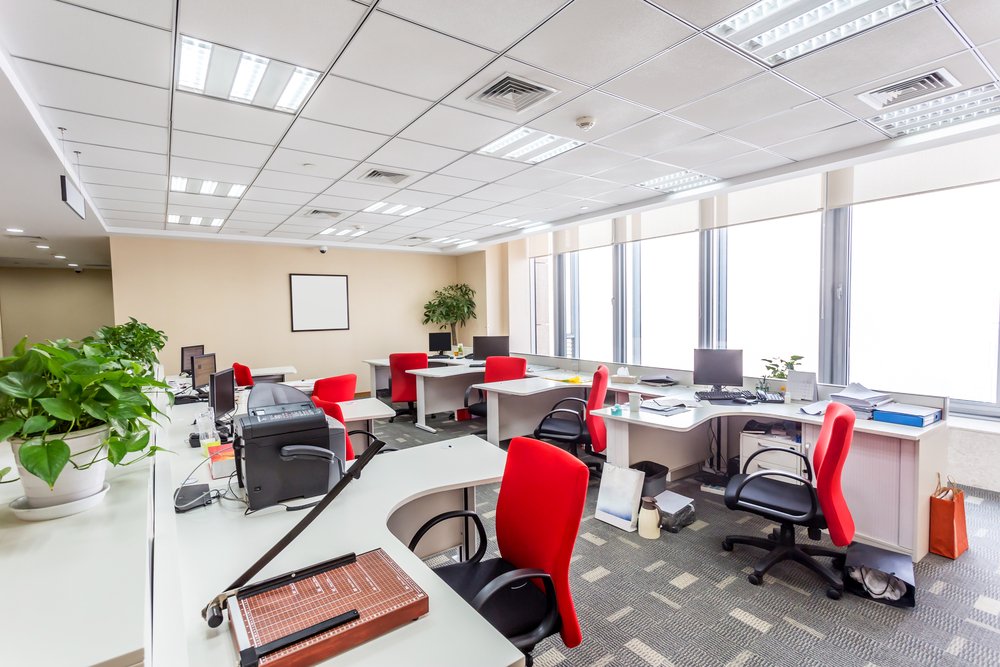
As an FM, you play a role in assigning employees desk and office areas. So, how do you set this process in motion? Do you simply assign new employees any available spot? Or do you consider the entire team and how you can re-assign seats to smoothly integrate new team members into a space? For example, desks with a view or beside a window are coveted in any organization, and it’s common courtesy to assign these to employees with seniority. By running an allocation report, FMs can see the bigger picture within departments and assign seats to show long-standing employees the support they deserve. The same goes for assigning individual offices to middle and senior managers—allocation reports will highlight details such as square footage, so you can ensure top-level employees are working their way up, rather than down. Using these reports in conjunction with a visual directory will enable FMs to make sure desks and space are assigned as appropriately as possible to keep all employees happy.
Resource reports
For facility managers everywhere, tracking and maintaining resources is a major responsibility. Resource reports help simplify everyday operations by offering a consolidated place to lookup equipment assignments or locate necessities, such as important medical or safety items. As staff leave the company or are hired on, resource reports can keep you informed of the tools available at desk areas. This information is also crucial for situations in which technologies need to be repaired or staffing changes are on the rise. For instance, if a particular phone in the office is broken, resource reports will ensure you don't waste time tracking the phone down, but will be able to quickly and easily send maintenance to the correct desk. In short, using an automated reporting system will ensure you’re prepared for every situation.
Space utilization reports

Tracking space usage by department can help you understand which groups are making the most effective use of their space—you can then make adjustments accordingly. These reports are also helpful in understanding whether your space is appropriate for the number of staff and resources you have on hand, or whether it’s filling up faster than you planned for. Additionally, by reporting on space usage by square footage, FMs can clearly illustrate the numbers behind an operation and accurately bill back clients.
The more information you have at your fingertips, the more effective you can be as a facility manager. Understanding and making use of the valuable information in these reports will allow you to increase your company’s cost savings and come in under budget every year. Of the many problems FMs encounter, OfficeSpace has a readily accessible report for most of them—and for the one that's outstanding, we have the ability to create a custom report of any kind. Any facility management software worth its salt should be able to adapt to the varying needs of various organizations, as company-specific data is key to the efficiency of any workplace, regardless of industry or objectives.
Are you looking to optimize your facility by running these reports, but also need to run one or two reports that are unique to your business model? With OfficeSpace Reports and Analytics, you’ll receive endless custom reporting capabilities to help you tackle your most demanding requirements.

Photo Credits: Shutterstock / wavebreakmedia, Shutterstock / zhu difeng, Shutterstock / Rawpixel
Related Posts

 The FM Professional
What is stack planning and how can FMs use stack plans to increase efficiency?
 The FM Professional
How to use FM software to streamline workplace operations
 Workplace Tech & Software
6 Ways to use commercial real estate software in facilities management
 Visual Directory
 Move Manager
 Space Management
 Reporting & Analytics
 Request Management
 Desk Booking
 Resource Tracking
 Technology
 Services & Support